Charging Overview#
The OmniRing uses a charging case or a charging cord.
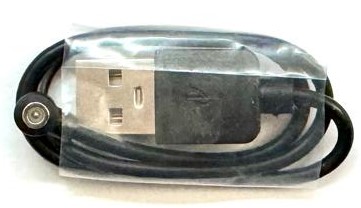
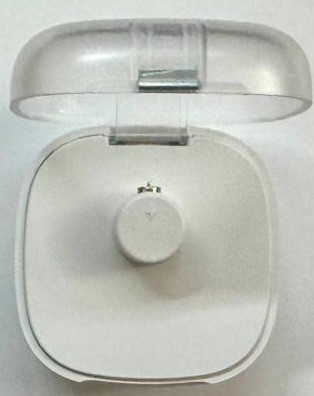
Charging Indicating LED on Charging Method 1 (left) and Charging Method 2 (right)
Charging LED (Green LED) Status#
The Charging LED (Green LED) indicates the battery charging and power state:
Double Blink: the battery is currently charging.
Solid ON: the battery is fully charged (100%).
OFF: the device is unplugged and running on battery power.
Charging Status |
LED Behavior |
Description |
|---|---|---|
Charging |
Double Blink |
The battery is currently charging (Constant Current/Voltage). |
Fully Charged |
Solid ON |
The battery is 100% charged. |
Discharging |
OFF |
The device is unplugged and running on battery power. |
Charging Procedures#
The OmniRing supports two charging methods:
Magnetic Charging Case: Recommended for daily charging and storage.
Magnetic Charging Cable: Recommended when traveling or charging without the case.
Charging Method 1: Magnetic Charging Case#
Place the ring into the charging case.
Ensure the Blue LED / Charging LED side of the ring is facing the RIGHT side of the charging case.
Close the charging case lid completely.
Charging will begin automatically once the lid is closed.
Note
If the red indicator turns off, remove the ring and repeat the steps above to ensure proper contact.
Charging Method 2: Magnetic Charging Cable#
Align the magnetic charging cable with the ring’s charging pins.
Allow the magnet to snap into place and secure the connection.
Plug the cable into a USB-C power source (e.g., a phone charger or battery bank).
Confirm the LED indicator displays the charging status.
Important
The charging time for the ring is approximately 1 hour and 30 minutes.