Hardware Overview#
The OmniRing is a smart wearable platform that is able to communicate with computers and mobile devices using an onboard Bluetooth LE stack.
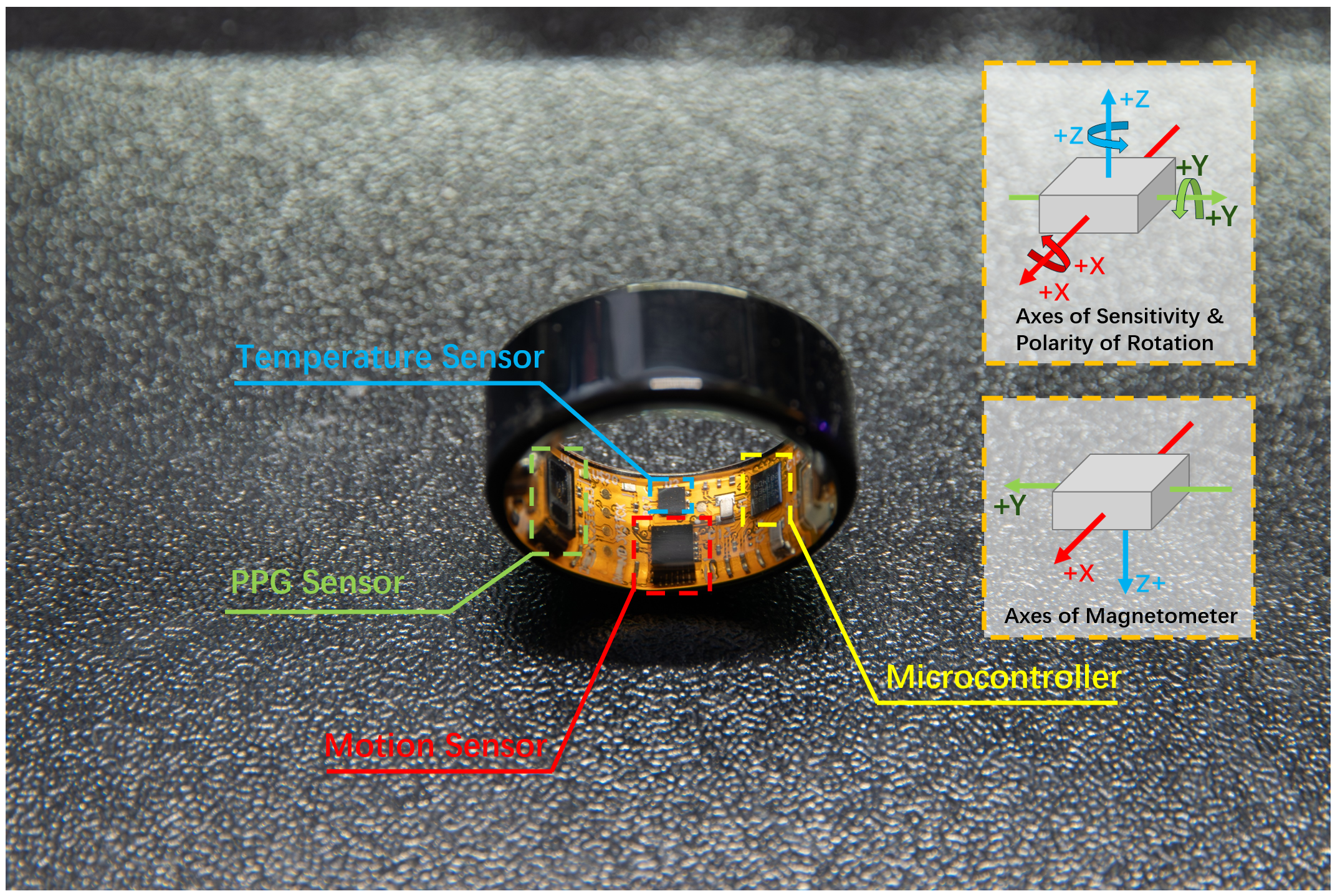
Ring Sizes#
OmniRing is available in multiple US sizes and configurations to ensure a comfortable fit and support different use cases.
Size Reference (US)#
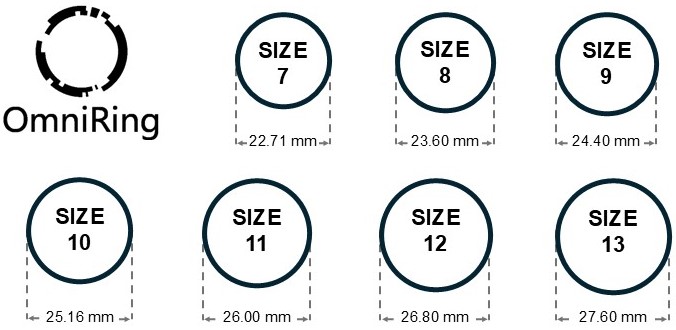
Size reference (US sizing). Outer diameter (OD) is shown for each size.#
Thickness#
OmniRing has a consistent thickness across all sizes:
Band width: 3.90 mm
Body thickness: 2.20 mm
Note: Thickness is identical across all sizes to maintain mechanical stability and ensure consistent sensor placement.
Weight#
OmniRing is lightweight and designed for long-term wear.
Weight: ~2.3 g (varies slightly by size)
Note: Weight may vary across sizes due to differences in ring diameter and enclosure volume.
LED Indicators Overview#
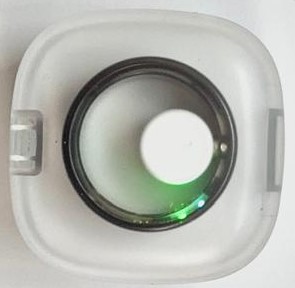
LED indicators on the OmniRing.#
The OmniRing provides visual feedback through LED indicators:
Light Source Name |
Color |
Indication |
|---|---|---|
PPG Sensor (black block) |
Red / Green / IR | Active Measurement Lights turn on automatically when the device is streaming health data. |
Bluetooth LED |
Blue LED | Pairing State Blinks when waiting for the app. Stays on when connected to your phone. |
Charging LED |
Green LED | Battery & System Pulses gently while charging. Turns solid green when battery is full. Flashes quickly if a hardware error occurs. |
Bluetooth LED (Blue LED) Status#
The Bluetooth LED (Blue LED) indicates the current BLE connection state:
Blinking: the device is advertising and waiting for a connection.
Solid ON: a BLE connection has been established successfully.
Bluetooth Status |
LED Behavior |
Description |
|---|---|---|
Advertising (Waiting for Connection) |
Blinking |
The device is ready to pair. This occurs immediately after powering on or upon disconnection. |
Connected |
Solid ON |
A connection has been successfully established with a smartphone or gateway. |